
Now available on Android mobile and tablets!!
CyberLink brings the multi-award winning PowerDirector from PC to Android tablets and mobiles! The most powerful video editor on the market, PowerDirector gives you the power to create amazing, awesome, engaging videos on-the-go. Import and edit videos, add effects and titles, and export HD video directly to Facebook or YouTube.
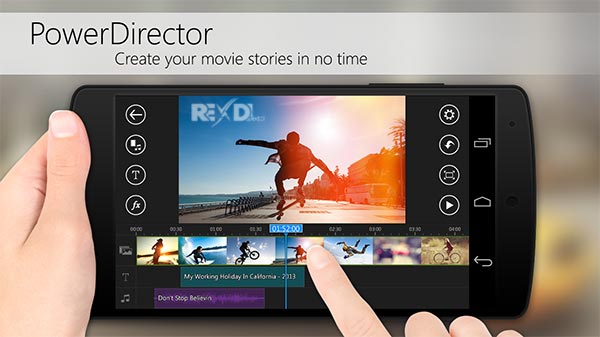
With PowerDirector’s easy-to-use timeline interface, you can quickly create professional, effect rich videos with just a few swipes of your finger. Selecting and importing multiple videos is easy with PowerDirector’s drag-and-drop support, and the easy-to-view timeline makes it splitting, trimming and adding effects to your videos a breeze.
With PowerDirector on Android you can:
- Have a professional style editor with timeline workspace
- Drag-and-drop content and effects for quick, easy and accurate editing
- Add photos and audio tracks to your videos
- Select from over 20 effects to add to your videos
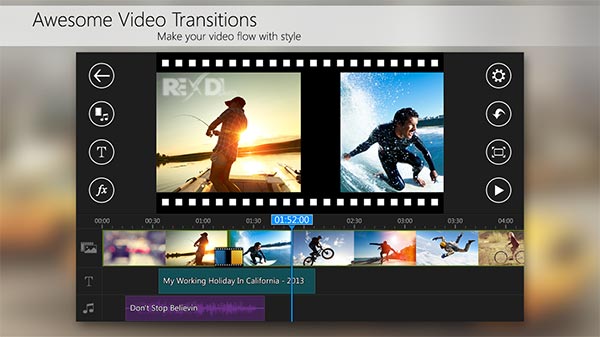
- Add over 20 transition effects to your clips
- Record voice-over for your clips
- Easily save your projects on your device to continue editing later
- Export your creations to amazing HD or Full HD* quality
- Upload your amazing creations directly to Facebook or YouTube as soon as you’re done
- Quickly access your saved projects as soon as you launch the app
- Full HD is only available with in-app purchase, and output quality depends on hardware capabilities
[SYSTEM REQUIREMENTS]
Android 4.3 and above
Works best with:
Qualcomm Snapdragon S4 or higher
Samsung Exynos 5xxx or higher
Nvidia Tegra 3 or higher
Mediatek MT8125 or higher
[SUPPORTED FORMATS]
Video:H.263 (.3GP, .MP4, .MKV), H.264 AVC (.3GP, .MP4, .MKV), MPEG-4 SP (.3GP, MP4, MKV), VP8 (.MKV)
Photo:JPEG, GIF, PNG, BMP, WebP
Music:WAV, MP3, MP4, M4A, AAC
CyberLink would love to hear your suggestions & feedback! Please continue to send questions, suggestions and ideas to PowerDirector_AppSupport@cyberlink.com
Like us: https://www.facebook.com/cyberlink
WHAT’S NEW:
• Premium users can now enjoy access to thousands of incredible stock videos, photos and professionally-composed music tracks, straight from Shutterstock.
• Download a ton of incredible NEW fonts straight to PowerDirector App. With six FREE fonts available to everyone right now!

Greetings! Your blog is really very nice, if you get a chance by posting such post, I’ll write comment for you again! Looking for Transparent Display. Zoom Visual carried varies of unique ranges of Transparent LED Displays and its provide high transparency level with clarity image.
ReplyDeleteTransparent Screen
Cyberlink Powerdirector Video Editor 7.0.0 B82690 Unlocked Apk >>>>> Download Now
ReplyDelete>>>>> Download Full
Cyberlink Powerdirector Video Editor 7.0.0 B82690 Unlocked Apk >>>>> Download LINK
>>>>> Download Now
Cyberlink Powerdirector Video Editor 7.0.0 B82690 Unlocked Apk >>>>> Download Full
>>>>> Download LINK qE